↗
Outgoing only
Incoming calls are rejected before they ring, so recipients cannot call back to extend a time-limited conversation.
 ExeDial
ExeDial turns a dedicated Android phone into an outgoing-only calling kiosk. Set access and time limits, prevent callback misuse, and make essential calling simple in schools and shared spaces.
One focused device, one clear purpose: safe outgoing calls. ExeDial removes the usual routes around limits without making a person’s call difficult.
Incoming calls are rejected before they ring, so recipients cannot call back to extend a time-limited conversation.
Set a calling allowance for an account, or a per-number free-call limit. ExeDial automatically ends a call when its configured time is used.
ExeDial is an Android app designed to run as a controlled kiosk—not a consumer dialer that happens to be shared.
Operators decide how each kiosk should work. The people using it see only the calling path they need.
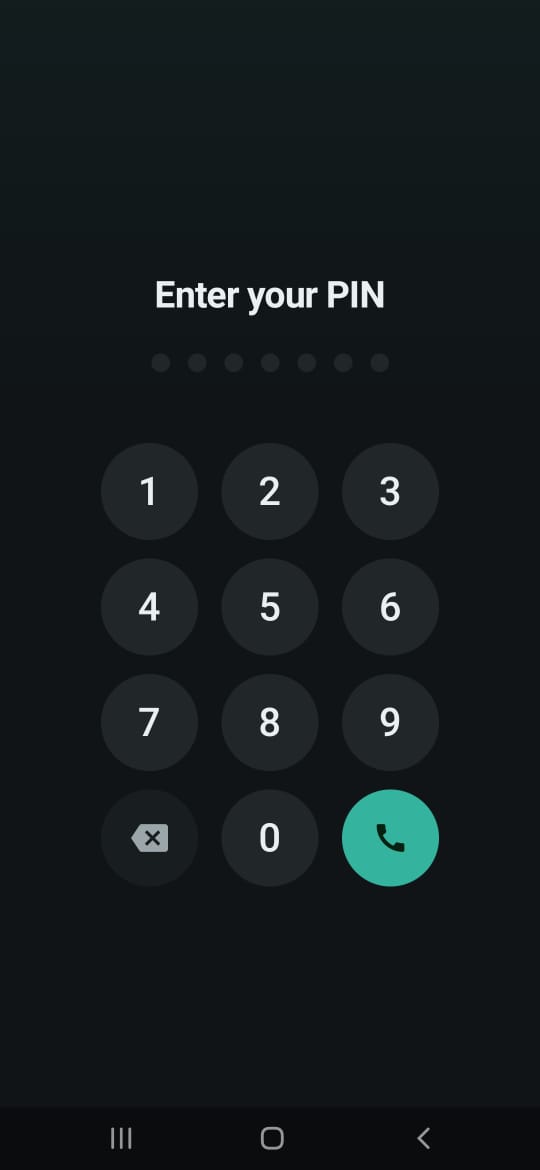
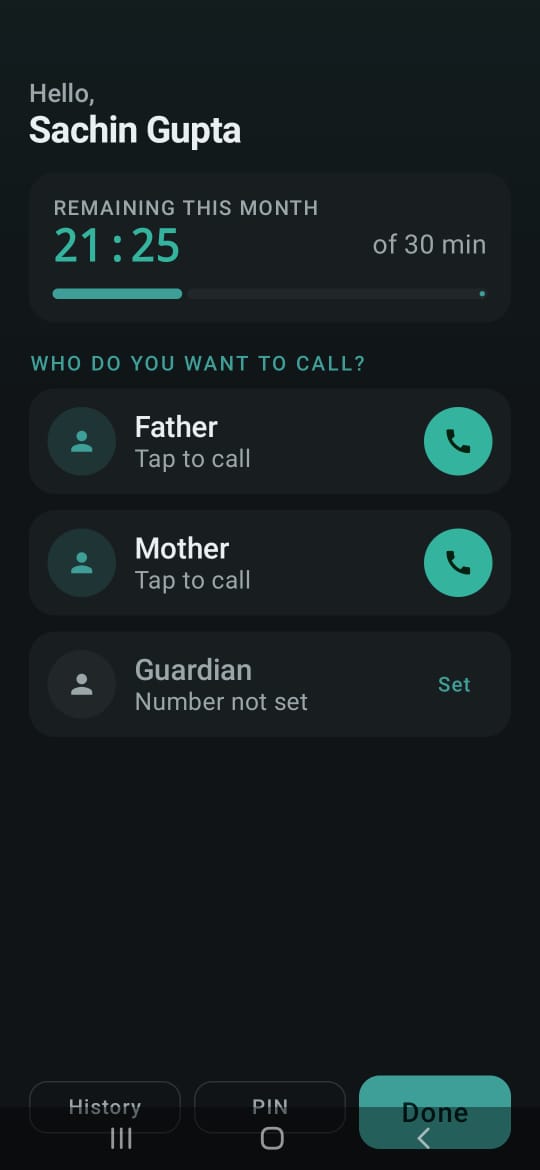
Students use their own PIN, see their remaining monthly allowance, and call the parent or guardian contacts assigned to them.
A public user enters the number they need. The kiosk applies the operator’s per-number daily allowance—five minutes, for example—and ends the call automatically.
For account-based school kiosks, the experience remains focused on getting a student safely connected to home.
A student enters a personal PIN. The phone shows only their authorised calling options.
Remaining time is visible before a call starts. The system ends the call at the configured limit.
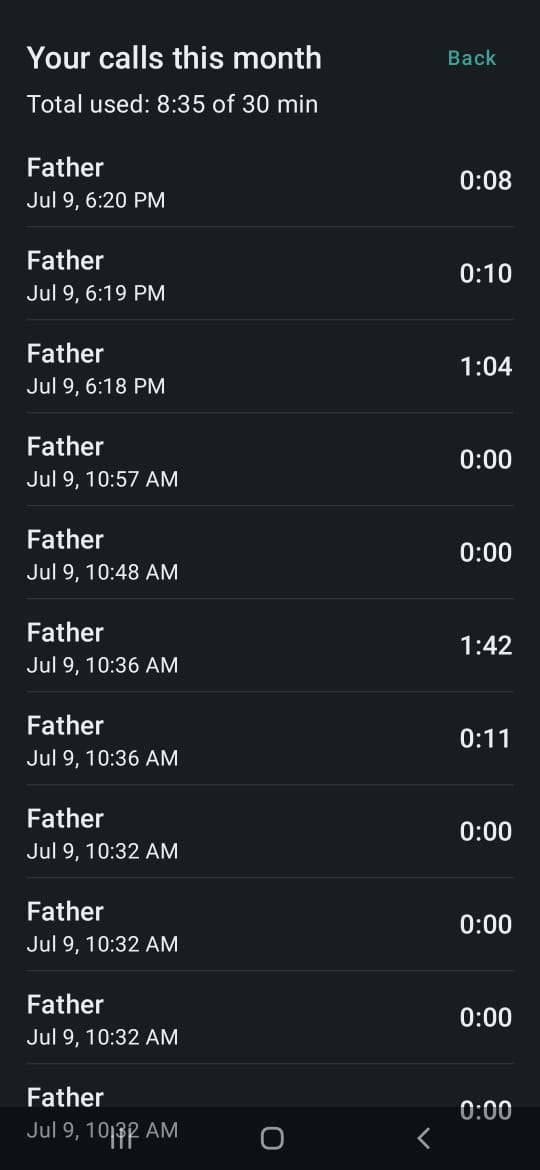
Students can see their own usage in account mode; operators retain the full kiosk record in the protected dashboard.
Give children and students a dependable route to parents or guardians without an open phone being misused.
Set fair, individual calling access in boarding schools, training centres, or workforce accommodation.
Offer timed courtesy calls for local assistance, transport, or guest-support destinations.
Provide patient or visitor assistance calls to a caregiver or support contact from a dedicated shared device.
Make a short essential call available in shelters, rehabilitation centres, and service locations.
Replace an unmanaged public phone with a purpose-built, configurable calling point.
The Android app and signed releases are issued to approved operators. An operator then activates and manages each physical kiosk.